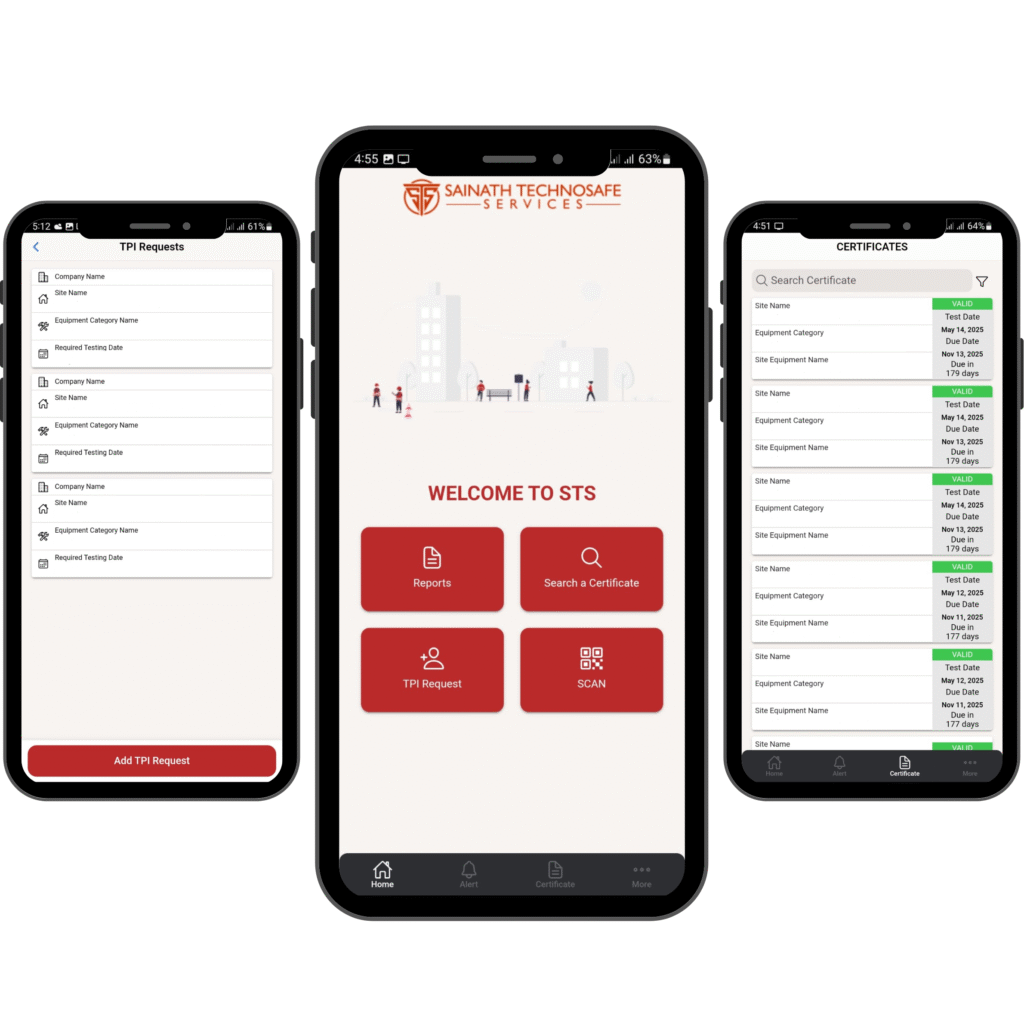
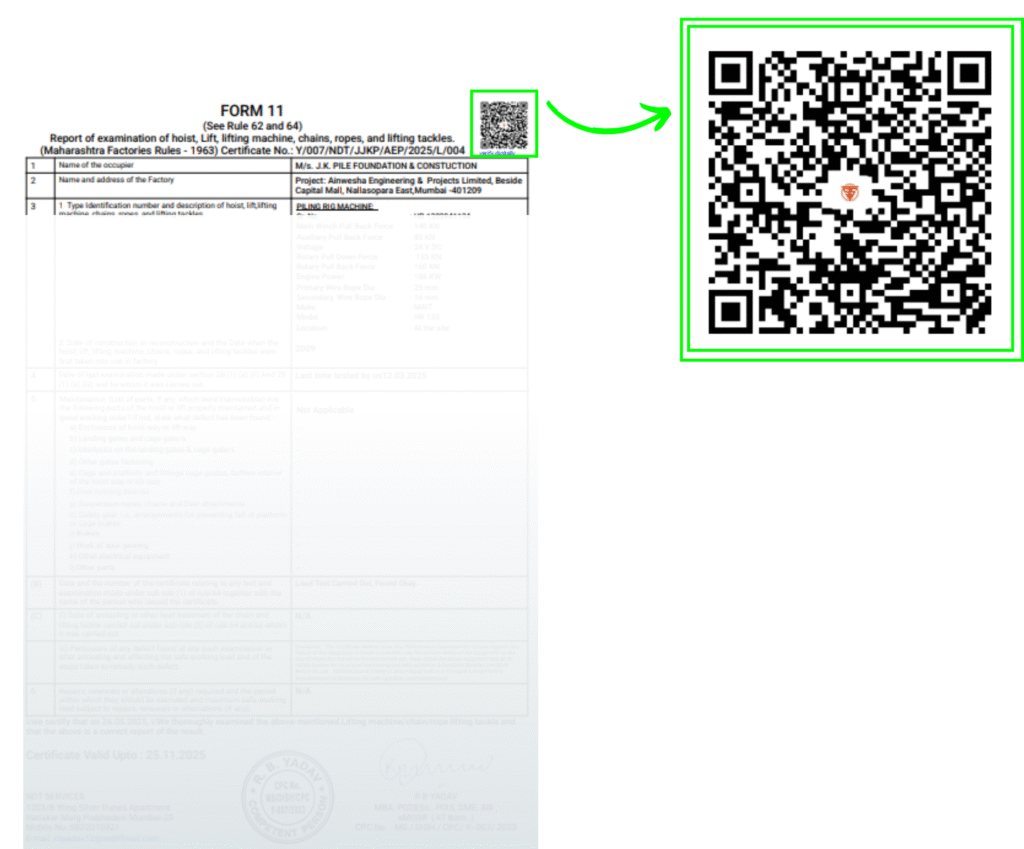
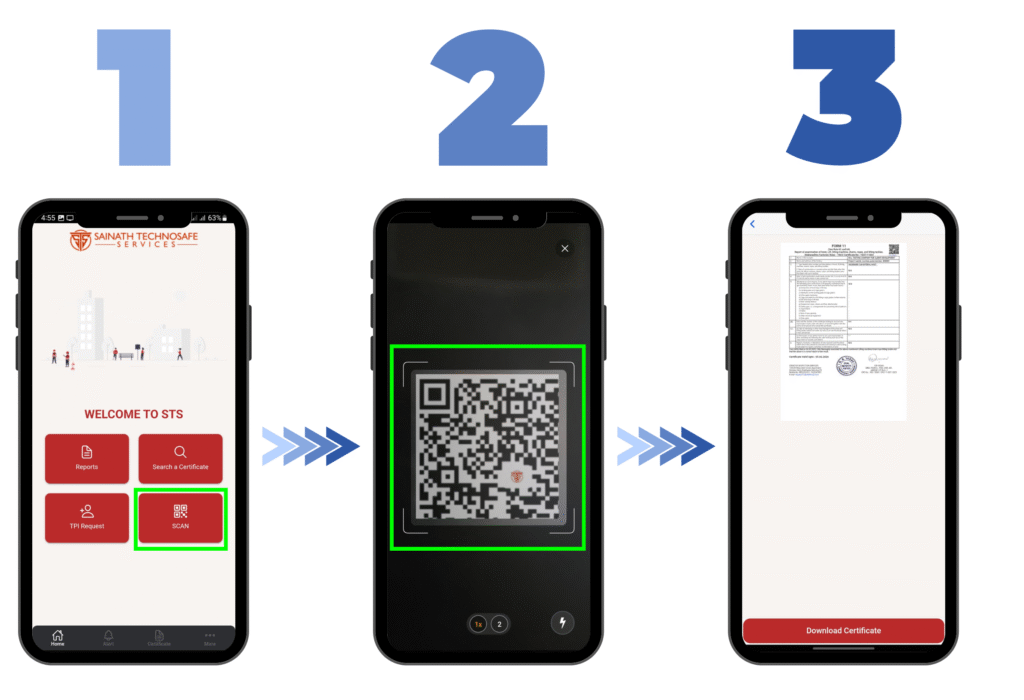
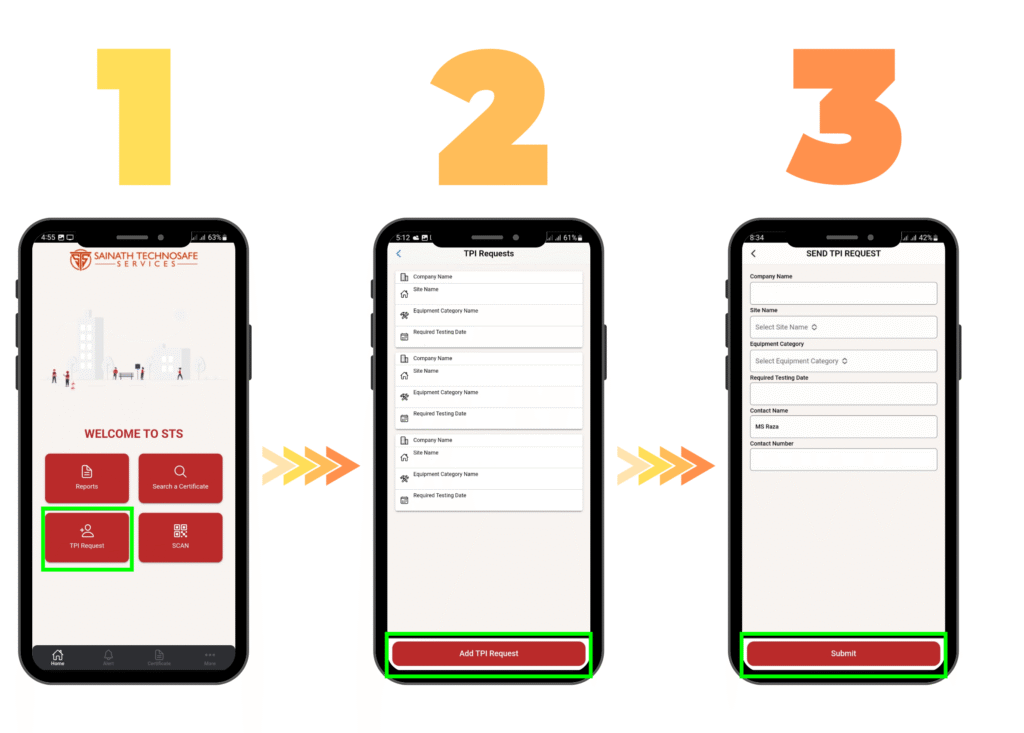
Introducing STS TPI APP Scan QR to Verify Initiate TPI Request Get Monthly Reports Authenticate Certificate Get Notified for Renewal View your Certificate Record Click here to Download Jump into the Era of Secure Certificates More convenient than verifying through a DSC and equally powerful at preventing tampering. Each of our issued Certificate comes with a QR code on top.Unique QR Code for Each CertificateCan be Scanned from any QR ScannerGreat for Compliance check for ClientsCertificate gets downloaded from api.sainathtechnosafe.in Scan to Download Select the ‘Scan’ option from Main Menu of the application.Scan the QR code on Equipment/ Certificate.The application displays the ‘Certificate’ with Download option at bottom. To download the certificate, simply click on ‘Download Certificate’ button. Send TPI Request Select ‘TPI Request’ option from Main Menu of the application.Click on ‘Add TPI Request’ to add your request.Add the Site Name, Equipment Type and Required date of Testing from the app and click on ‘Submit’.